Want monday to take different actions depending on when an item is created? That’s possible now!
Define your start and end times, and the app will automatically trigger the right workflow. A game-changer if your team works in shifts, service windows, or different time zones.
App available for use in ALL WORKSPACES, in monday platform
02
UNLIMITED USERS at no extra cost
03
TransFunnel – monday.com's Trusted PLATINUM SOLUTIONS partner – Premium Support
Trusted by 100+ customers worldwide
10+ yrs
Platinum Partner
Unlimited seats
Smart New Features
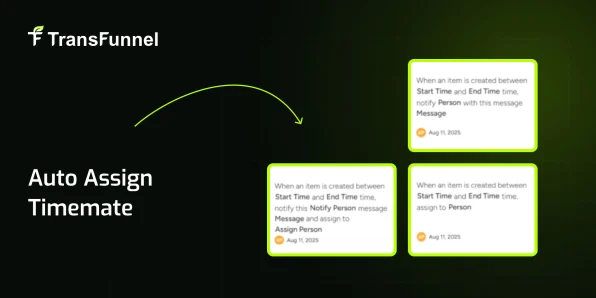
Notify & Assign Together
When a new item is created within your chosen time range, the app will: Instantly notify selected team members Assign the item to the right owner Perfect for routing tasks created during working hours directly to the right person.
Auto-Assign During Specific Hours
Need items created between certain times to always go to a specific team member? Now you can — no manual assignment needed. Great for shift-based teams, support desks, or on-call workflows.
Time-Based Notifications
Want to keep certain stakeholders updated only for items created in a time window? The app can send real-time notifications without changing ownership. Ideal for alerts, monitoring, or compliance checks.
How to Use?
01 Install the App Install the app from the monday.com Marketplace
02 Select Your Board & Columns Select your file source and destination (columns, items, or boards)
03 Set Up Automations Set up automation triggers (Item create)
Why TransFunnel?
TransFunnel is the monday.com GOLD Solutions Partner helping the monday.com users with premium Consulting, professional & Licensing services. Having enabled 10,000+ organisations worldwide over the past decade, we understand the pain points and needs of the teams and provide custom solutions and apps created specifically to enable the monday.com users to make the most of the monday platform. Check out our monday professional services and reach us for ANYTHING monday.com ! Happy to connect.



 01
01
 02
02
 03
03
 Install the App
 Select Your Board & Columns
 Set Up Automations
